Step 1
Login into your vault.
Step 2
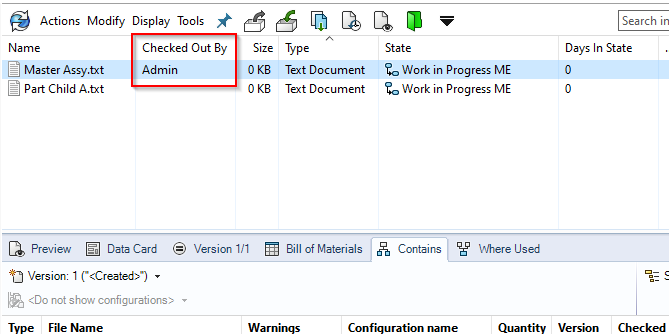
To make a file to be the “child” of another file, first make sure that both the “Parent” and “child” files are checked out to your local location.
Step 3
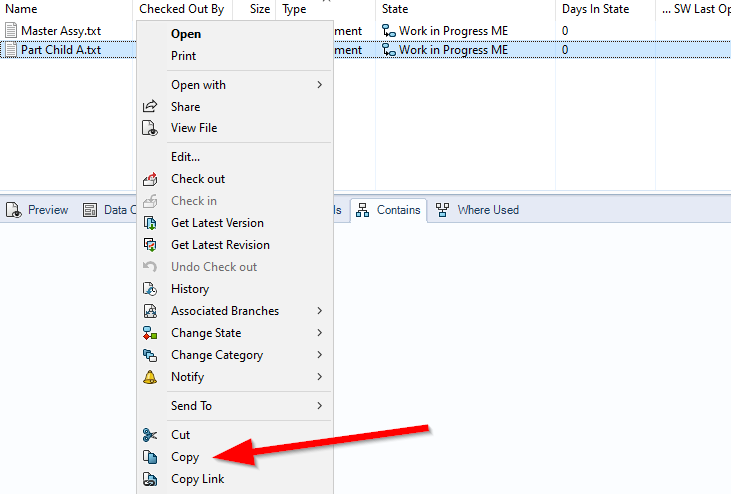
Next, right click on the “child” file and copy it.
Step 4
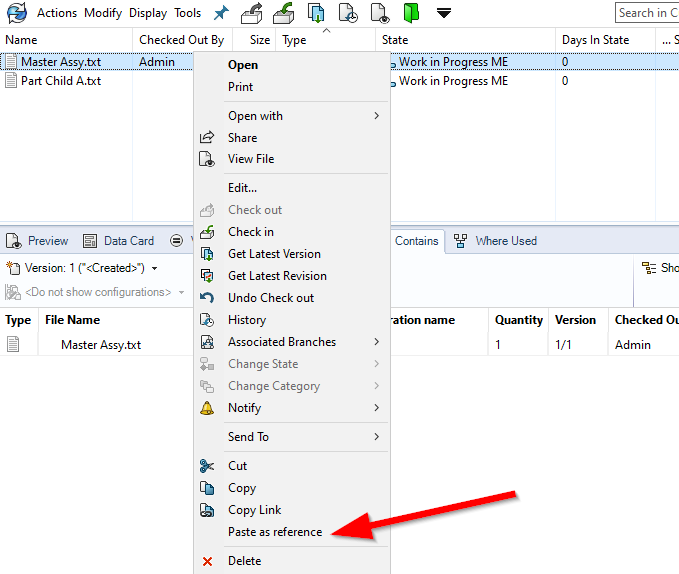
Next, right click on the “Parent” file and select “Paste as reference”. After that Check-in both “Parent” and “Child” files to the vault.
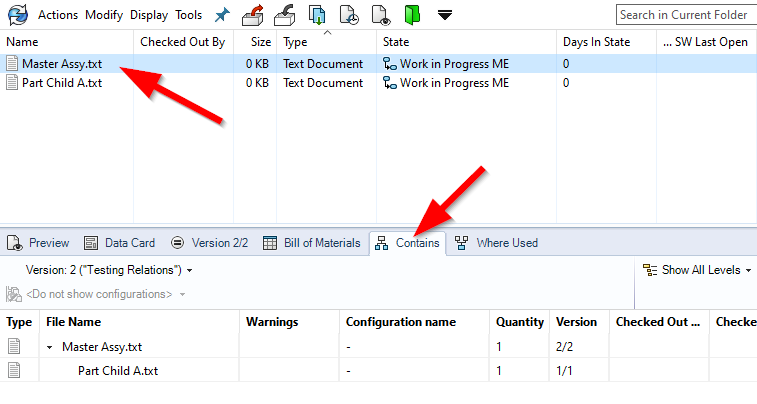
Step 5
Click the “Parent” file, and go to the “Contains” tab. You will see now that the “Child” file is now attached to the “Parent” file in the Vault in a relationship.